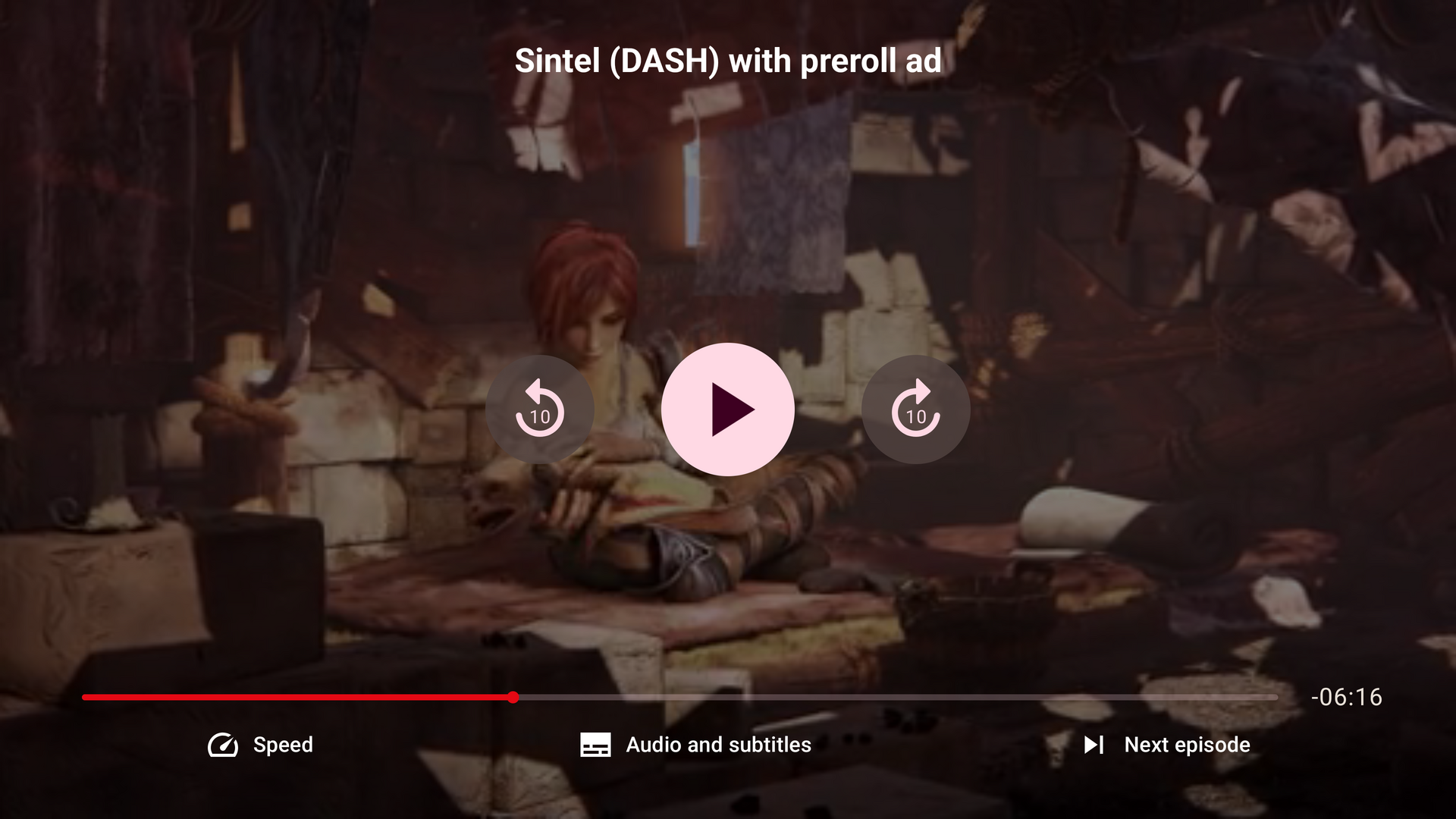
Making a custom TV UI
Use UIController to arrange playback controls for a TV remote. You can use the provided TV components or add your own Compose for TV components.
A basic player
Start with a player that has a single Play button:
@OptIn(ExperimentalTvUiApi::class)
@Composable
fun BasicTvPlayer() {
    UIController(
        config = THEOplayerConfig.Builder().build(),
        source = SourceDescription.Builder("https://example.com/stream.m3u8").build(),
        centerChrome = {
            PlayButton()
        }
    )
}
UIController creates and manages the THEOplayerView from config and loads source. Its slots place content in the centerOverlay, errorOverlay, topChrome, centerChrome, and bottomChrome areas. Pass an existing view to the UIController(theoplayerView = ...) overload when you manage the view yourself.
See the UIController API reference.
Add more controls
Add a seek bar, time displays, a Live button, and a loading indicator:
@OptIn(ExperimentalTvUiApi::class)
@Composable
fun TvPlayerWithControls() {
    UIController(
        config = THEOplayerConfig.Builder().build(),
        source = SourceDescription.Builder("https://example.com/stream.m3u8").build(),
        centerOverlay = {
            LoadingSpinner()
        },
        errorOverlay = {
            ErrorDisplay()
        },
        centerChrome = {
            PlayButton()
        },
        bottomChrome = {
            SeekBar()
            Row(verticalAlignment = Alignment.CenterVertically) {
                CurrentTimeDisplay()
                Spacer(modifier = Modifier.weight(1f))
                DurationDisplay()
                LiveButton()
            }
        }
    )
}
SeekBarlets viewers seek with the D-pad. Holding Left or Right scrubs through the timeline.CurrentTimeDisplayshows the current time. SetshowRemaining = trueto show the remaining time.DurationDisplayshows the stream duration.LiveButtonshows whether the player is at the live point and returns to it when selected.LoadingSpinnerbelongs incenterOverlay. It appears when playback is waiting for data.ErrorDisplaybelongs inerrorOverlay. It shows fatal playback errors.
The TV UI does not include the mobile MuteButton, fullscreen, or picture-in-picture controls.
Add menus
LanguageMenuButton() and SettingsMenuButton() open the built-in language and settings menus. Call them inside a UIController slot, where the UIControllerScope also provides the MenuScope functions:
@OptIn(ExperimentalTvUiApi::class)
@Composable
fun TvPlayerWithMenus() {
    UIController(
        config = THEOplayerConfig.Builder().build(),
        source = SourceDescription.Builder("https://example.com/stream.m3u8").build(),
        bottomChrome = {
            Row {
                LanguageMenuButton()
                SettingsMenuButton()
            }
        }
    )
}
Open a specific built-in menu with openMenu { PlaybackRateMenu() }. For a custom menu, use Menu(title = { ... }) { ... }. Its content is a ColumnScope, so you can add TV Material ListItem rows or the built-in QualityList, PlaybackRateList, AudioTrackList, and SubtitleTrackList components.
@OptIn(ExperimentalTvUiApi::class)
@Composable
fun UIControllerScope.openCustomMenu() {
    openMenu {
        Menu(title = { Text("Playback options") }) {
            ListItem(
                selected = false,
                onClick = { closeCurrentMenu() },
                headlineContent = { Text("Done") }
            )
        }
    }
}
Menus open as side panels over the video. Back closes the current menu before the player controls or app handle it.
Manage focus
The TV UIController puts its controls in a focus group and restores the previous focus when controls reappear. On first entry, focus moves to the first available control. DefaultUI directs focus to Play when a live stream has no seek bar.
In a custom layout, use focusProperties to choose where focus enters a group. This pattern directs focus to Play instead of the first button:
@OptIn(ExperimentalTvUiApi::class)
@Composable
fun PlayControls() {
    val fr = remember { FocusRequester() }
    Row(
        modifier = Modifier
            .focusProperties { onEnter = { fr.requestFocus() } }
            .focusGroup()
    ) {
        PlayButton(modifier = Modifier.focusRequester(fr))
    }
}
SeekButton provides a separate seek-back or seek-forward button. It is used by the demo's Nitflex UI, but not by DefaultUI.
Use the player's state
Use LocalTHEOplayerView.current?.player with the experimental state holders to read player state in a TV control. For example, show the bottom controls only after playback has started:
@OptIn(ExperimentalTvUiApi::class, ExperimentalPlayerStateApi::class)
@Composable
fun TvPlayerWithState() {
    UIController(
        config = THEOplayerConfig.Builder().build(),
        source = SourceDescription.Builder("https://example.com/stream.m3u8").build(),
        bottomChrome = {
            val firstPlayState =
                rememberFirstPlayState(LocalTHEOplayerView.current?.player)
            if (firstPlayState.firstPlay) {
                SeekBar()
            }
        }
    )
}
Unlike the mobile UI, the TV UI does not provide Player.current. Use state holders such as rememberFirstPlayState, rememberPlayButtonState, and rememberSeekBarState instead.
More examples
The DefaultUI source shows how the built-in TV player arranges the controls. The demo app's TvNitflexUI and TvNitflexTheme show a more customized player.