How to align the timeline in the middle on Web
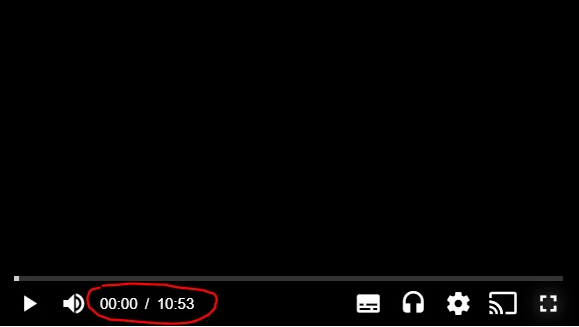
This question is asked when developers want to change the appearance of the current time digits and duration digits in the seekbar. For example, instead of having it aligned on the left of the control bar, they might want to have it in the middle.
Please note that this article isn't final.
Implementation
One approach is to create a new overlay. The code snippet below implements this strategy.
CSS
.custom-timeline {
  display: none;
  bottom: 0;
  position: absolute;
  width: 100%;
  text-align: center;
  line-height: 36px;
  pointer-events: none;
}

.vjs-has-started .custom-timeline.show {
  display: block;
}

.vjs-time-control {
  display: none !important;
}

.theo-mobile .custom-timeline {
  display: none;
}

.vjs-fullscreen .custom-timeline {
  margin-bottom: 8px;
}
HTML and JS
<div class="video-container video-js theoplayer-skin">
  <div class="custom-timeline"><span class="current-time">00:00:00</span> / <span class="duration"></span></div>
</div>
<script>
  var player = new THEOplayer.Player(element, playerConfig);
  ...
  function secondsToHms(d) {
      d = Number(d);
      var h = Math.floor(d / 3600);
      var m = Math.floor(d % 3600 / 60);
      var s = Math.floor(d % 3600 % 60);

      var hDisplay = h > 0 ? h + (h == 1 ? ":" : ":") : "00:";
      var mDisplay = m > 0 ? m + (m == 1 ? ":" : ":") : "00:";
      var sDisplay = s;
      return hDisplay + mDisplay + sDisplay;
  }

  player.addEventListener('timeupdate', function(e) {
      document.querySelector('.custom-timeline .current-time').innerText = secondsToHms(Math.floor(e.currentTime));
  })

  player.addEventListener('durationchange', function(e) {
      document.querySelector('.custom-timeline .duration').innerText = secondsToHms(Math.floor(e.duration));
      document.querySelector('.custom-timeline').classList.add('show');
  })
  ...
</script>