Related content on Web
The related content feature adds a component to the default UI which enables viewers to navigate to related content. You configure the related content through the related content API.
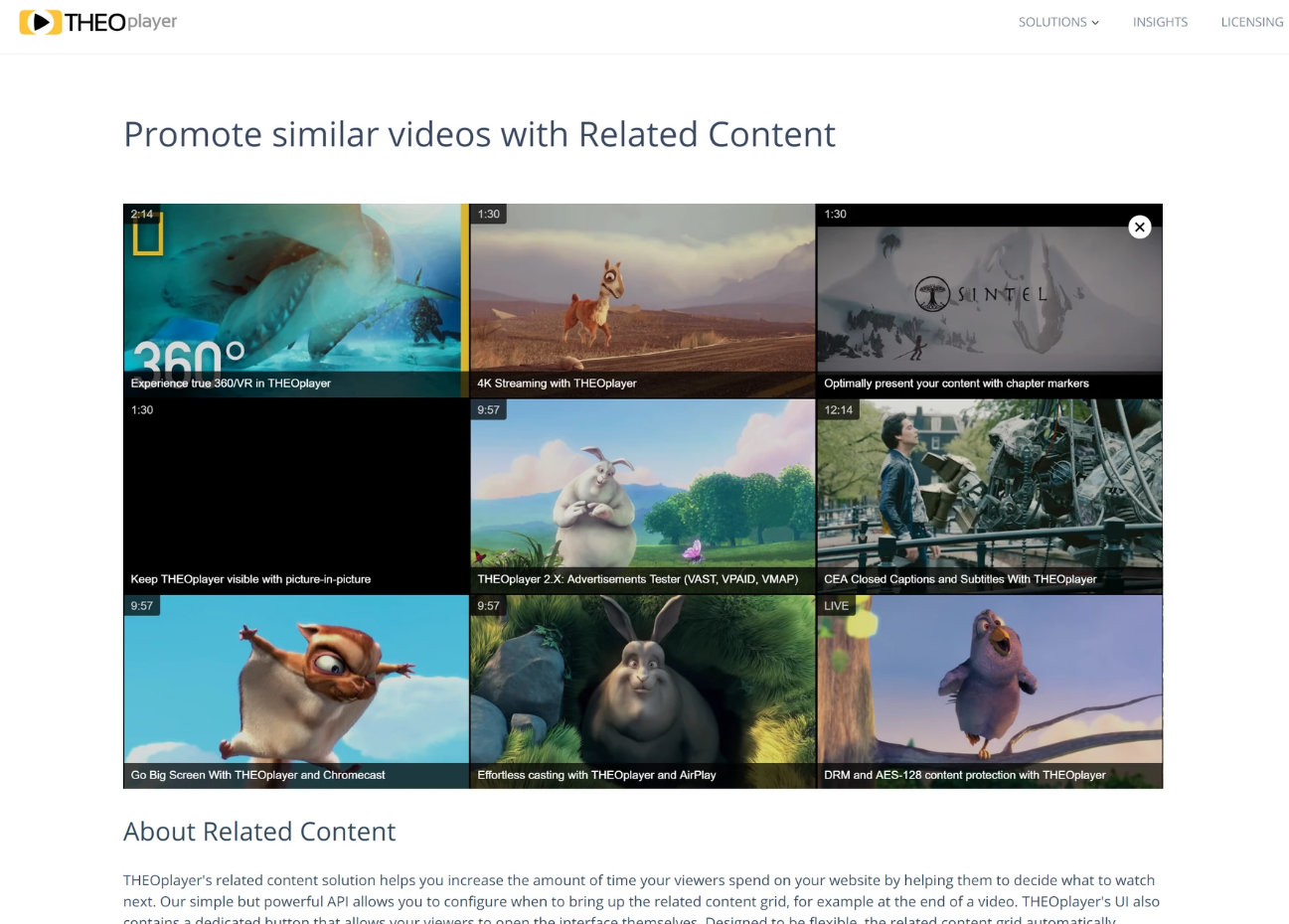
Since it is a feature of the default UI, related content is only available on the Web SDK.
Make sure your Web SDK includes the relatedcontent feature.
Usage
Assign a list of related sources to
player.related.sources,
and show them whenever you want, for example when playback ends.
player.related.sources = [
  {
    image: '//cdn.theoplayer.com/video/vr/poster.jpg',
    title: 'Experience true 360/VR in THEOplayer',
    duration: '2:14',
    link: '//demo.theoplayer.com/vr-and-360',
  },
  {
    image: '//cdn.theoplayer.com/video/sintel/poster.jpg',
    title: 'Optimally present your content with chapter markers',
    duration: '1:30',
    link: '//demo.theoplayer.com/chapters',
  },
  {
    image: '//cdn.theoplayer.com/video/big_buck_bunny/poster.jpg',
    title: 'THEOplayer: Advertisements Tester (VAST, VPAID, VMAP)',
    duration: '9:57',
    link: '//demo.theoplayer.com/vast-vpaid-vmap',
  },
];

player.addEventListener('ended', function () {
  if (!player.related.showing) {
    setTimeout(function () {
      player.related.show();
    }, 1000);
  }
});
Remarks
The related content API is limited to showing a maximum of 15 tiles. By default, it shows only 6, even if more sources are added to the player. To show more than 6 sources, add the CSS below to make the grid scrollable.
.theo-related-grid {
  height: 100% !important;
  overflow-y: scroll !important;
}

.theo-related-grid-tile {
  display: block !important;
}